
Every year, millions of vehicles undergo MOT testing in the UK, generating a massive amount of free-text defect notes that could revolutionize how we understand vehicle maintenance patterns.
But there is a catch: these notes are messy, inconsistent, and nearly impossible to analyse at scale using traditional methods.
Consider these real examples from MOT records:
"Nearside rear brake pipe corroded"
"Brake hose deteriorated"
"Brakes imbalanced across an axle"
"Headlamp aim too high"
"Exhaust leaking gases"
While these notes are invaluable for mechanics, they create a nightmare for data analysis. Every tester phrases things slightly differently, and traditional keyword searches miss the bigger picture. How do you find all brake-related issues when they are described in dozens of different ways?
The answer lies in embeddings: a powerful technique that transforms unstructured text into structured, analyzable data.
Embeddings convert text into numeric vectors, placing similar meanings close together in high-dimensional space. With embeddings, "brake hose deteriorated" and "brake pipe corroded" become neighbors, even though the wording differs significantly. This opens up entirely new possibilities for analysing text data at scale.
This post demonstrates a practical, hands-on approach using MiniLM to:
- Transform messy MOT defect notes into structured embeddings
- Cluster similar defects automatically using machine learning
- Run semantic search to find related issues by meaning, not just keywords
- Visualize the results to understand patterns in vehicle defects
Try the Interactive Demo
The demonstration is a Jupyter notebook that you can open directly in Google Colab, with no setup required on your local machine.
Important note about Google Colab: when you open the notebook you will be prompted to sign in to Google. This is normal and free. Colab requires a Google account to save work and provide compute resources.
Or view the repository and run locally:
github.com/DonaldSimpson/mot_embeddings_demo
How It Works: From Text to Insights
The demo is comprised of three key steps, each building on the previous one.
Step 1: Text to Numbers
The MiniLM model (specifically "all-MiniLM-L6-v2") converts each defect note into a 384-dimensional vector. Think of this as creating a unique fingerprint for each piece of text that captures semantic meaning.
Step 2: Finding Patterns
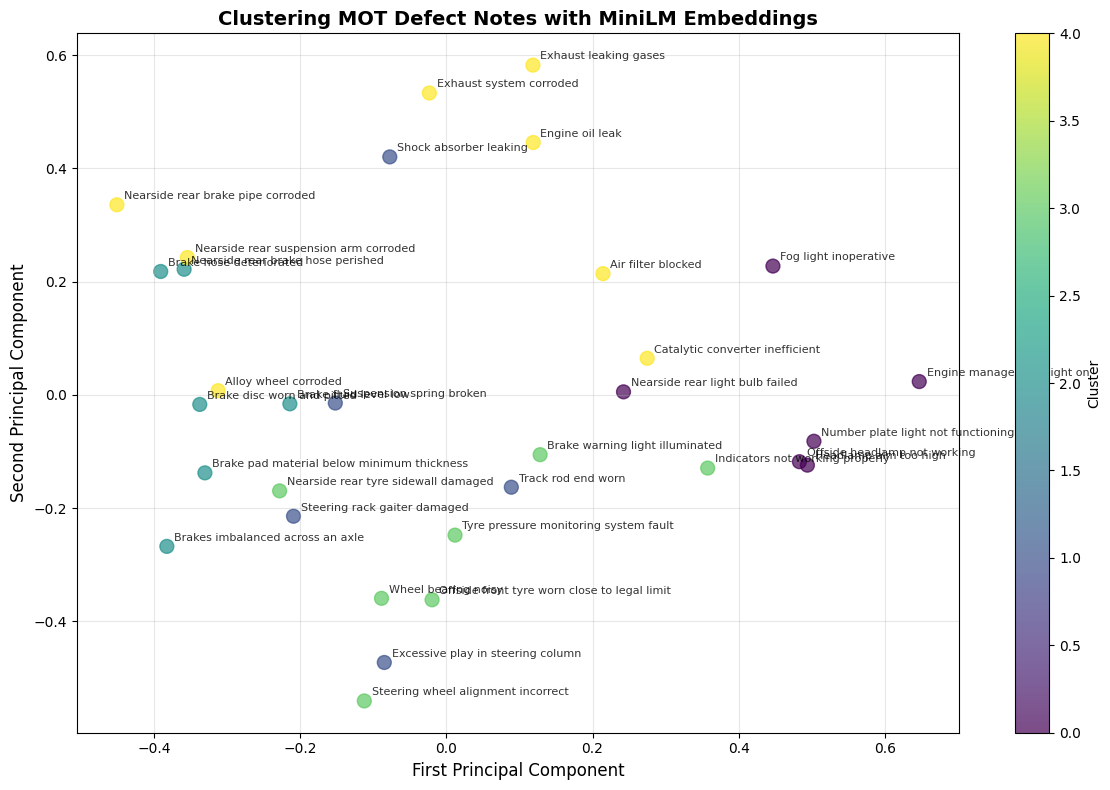
K-means clustering automatically groups these fingerprints together. The algorithm can discover that "brake pipe corroded" and "brake hose deteriorated" belong in the same cluster, while "headlamp aim too high" forms its own group.
You can visualize this in 2D using PCA (Principal Component Analysis).
Step 3: Intelligent Search
Semantic search uses cosine similarity to find the most relevant notes for any query. When you search for "brake failure", it does not just look for exact words: it finds semantically similar notes described differently.
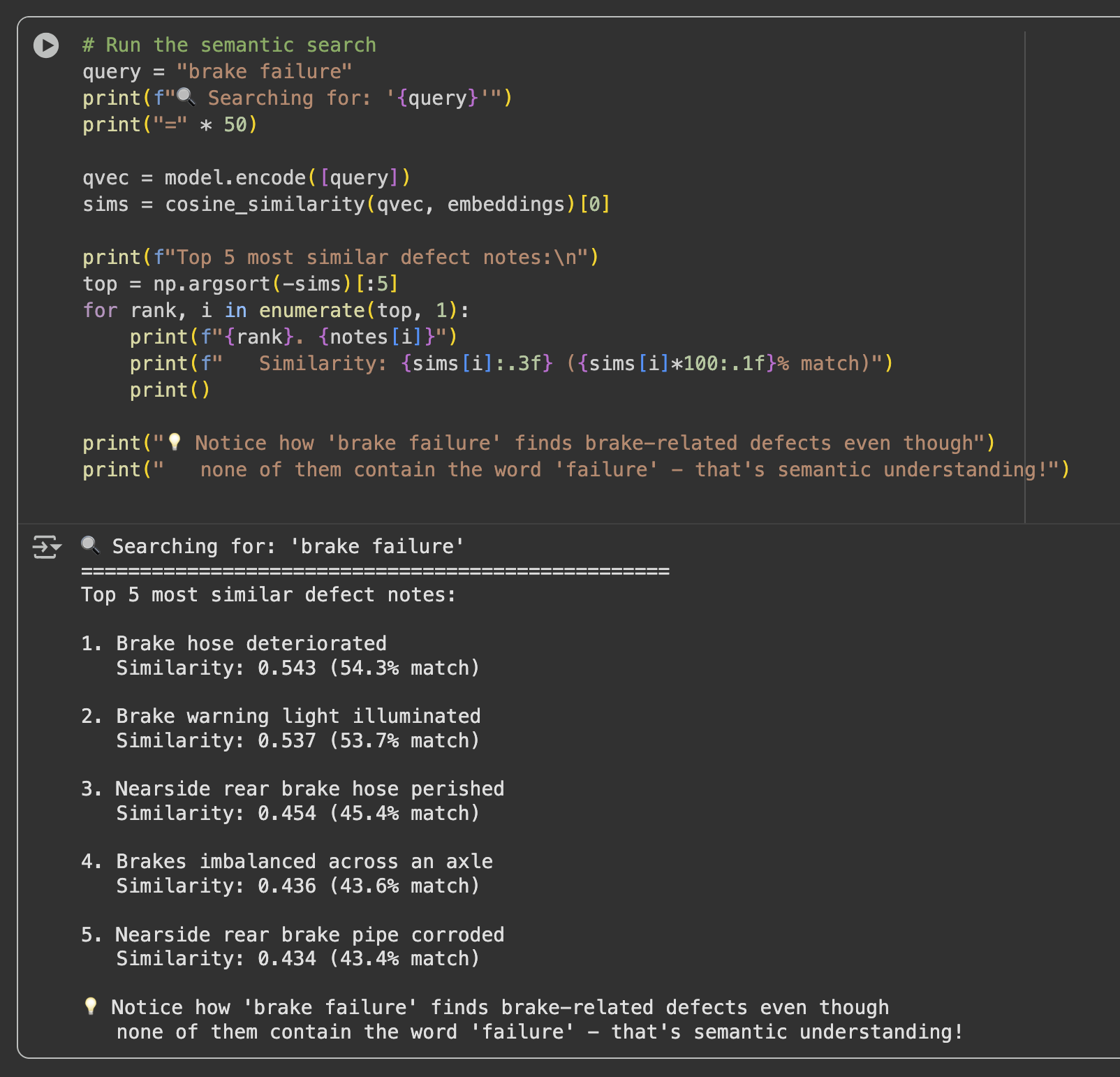
The notebook demonstrates this with a curated set of real MOT defect notes, including brake issues, lighting problems, steering and suspension defects, exhaust faults, and tyre wear.
Hands-On Experimentation: Make It Your Own
This is not a static demonstration. It is a notebook designed for experimentation.
Start with your own data: add your own MOT notes and see where they cluster.
notes = [
    "Engine oil leak",
    "Headlight not working",
    "Nearside front tyre bald",
    "Steering pulling to the left",
    "Brake discs worn and pitted",
    # Add your own notes here...
    "Your defect notes here",
    "More of your defect notes"
]
Play with clustering granularity: change the number of clusters and observe how groupings shift.
# Try different values: 2, 3, 4, 5, 6...
kmeans = KMeans(n_clusters=3, random_state=42)
Make your own queries: test semantic understanding beyond literal keywords.
query = "tyre wear"           # Should find tyre-related issues
query = "steering problem"    # Should find steering defects
query = "engine issue"        # Should find engine problems
query = "safety concern"      # Should find safety-related defects
Experiment with different models:
# Larger, potentially more accurate model
model = SentenceTransformer("multi-qa-mpnet-base-dot-v1")

# Another commonly used sentence-transformer model
model = SentenceTransformer("all-mpnet-base-v2")
These are SentenceTransformer models from the Hugging Face model hub.
Real-World Applications: CarHunch
At CarHunch, the same approach is applied to millions of MOT records. Embeddings make it possible to standardize messy notes, compare defect histories, and surface fleet-level reliability patterns.
A Surprising Discovery: Land Rover Defender seatbelt damage
One striking pattern from analysis: seatbelt damage appears as the number one common issue for classic Defender 110 vehicles, ahead of issues many people would assume are more common.
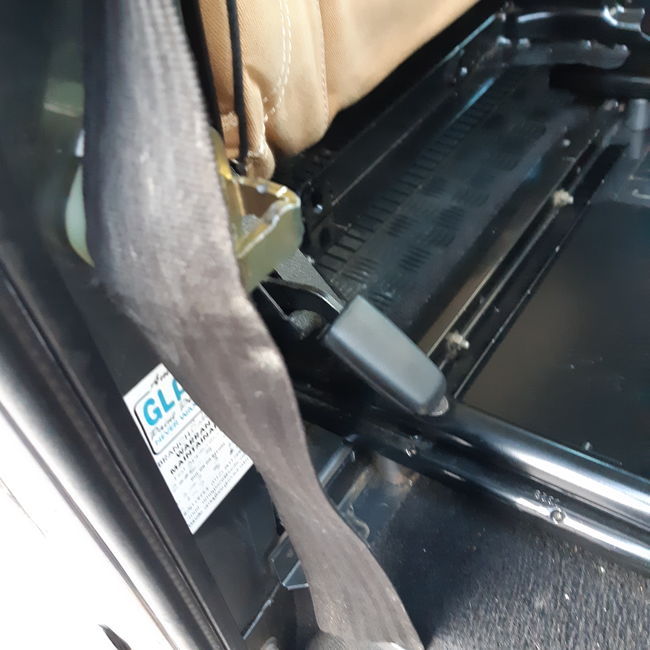
This only becomes obvious when semantically similar phrases are grouped together:
"Seatbelt webbing frayed"
"Driver's seatbelt damaged"
"Seatbelt retraction mechanism faulty"
"Belt webbing showing signs of wear"
Embeddings reveal these as the same underlying issue, despite wording variation.
You can explore related output with CarHunch enhanced hunches: carhunch.com/vehicle/SM09KXX/hunches/.
The Bigger Picture
This points to broader opportunities for automotive reliability engineering:
- Early warning on recurring faults
- Design validation after component changes
- Cost-benefit analysis for reliability improvements
- Competitive reliability benchmarking at scale
From Experimentation to Production
Once you are confident in the notebook workflow, the next step is operationalizing it.
In the companion post, MLOps for DevOps Engineers - MiniLM and MLflow demo, the same embedding workflow is taken into a reproducible MLOps pipeline with Docker, MLflow, Makefiles, and quality gates.
Think of this notebook as the playground and the MLOps pipeline as the production path.
Key Takeaways
- No GPU required for basic experimentation
- Easy to run locally or in cloud environments
- Immediately useful for messy real-world text
- Natural bridge into production MLOps workflows
Give the notebook a try and test with your own MOT notes:
Contains public sector information licensed under the Open Government Licence v3.0.